

Missing a pill might seem like a small mistake, but it can lead to big problems. Up to half of people don’t take their medications as prescribed, and that’s not just about forgetting-it’s why 125,000 people die every year in the U.S. from preventable complications. The good news? Simple tools-apps, alarms, and physical organizers-can make a real difference. You don’t need to be tech-savvy or wealthy to use them. What you need is a system that fits your life.
Why Medication Reminders Matter More Than You Think
It’s not just about remembering to take your pills. It’s about keeping your condition under control. For someone with high blood pressure, skipping a dose can spike their risk of stroke. For someone on antibiotics, missing even one day can turn a treatable infection into a resistant one. And for chronic conditions like diabetes or HIV, adherence isn’t optional-it’s life-or-death.
Studies show that when people use reminder tools, adherence improves by 15-20% on average. But not all tools work the same. Some apps send too many alerts, and users turn them off within weeks. Others are too complicated for older adults. The key isn’t having the fanciest app-it’s finding one that matches your daily rhythm, your tech comfort, and your health needs.
How Medication Apps Actually Work (And Which Ones Deliver)
Medication apps aren’t just digital calendars. The best ones track your doses, warn you about dangerous drug interactions, and even let caregivers know if you miss a pill. Medisafe, with over 5 million downloads, is one of the most trusted. It checks your meds against a database of 10,000+ FDA-approved drugs and flags potential clashes. In tests by pharmacists, it caught 99.2% of risky combinations.
But it’s not perfect. Some users complain about false alerts-like being warned that prenatal vitamins conflict with Tylenol. That kind of noise leads to distrust. MyTherapy, on the other hand, focuses on holistic tracking. It lets you log symptoms, mood, and even blood pressure readings. If you’re managing depression or anxiety alongside a chronic illness, this kind of insight helps you see patterns you’d otherwise miss.
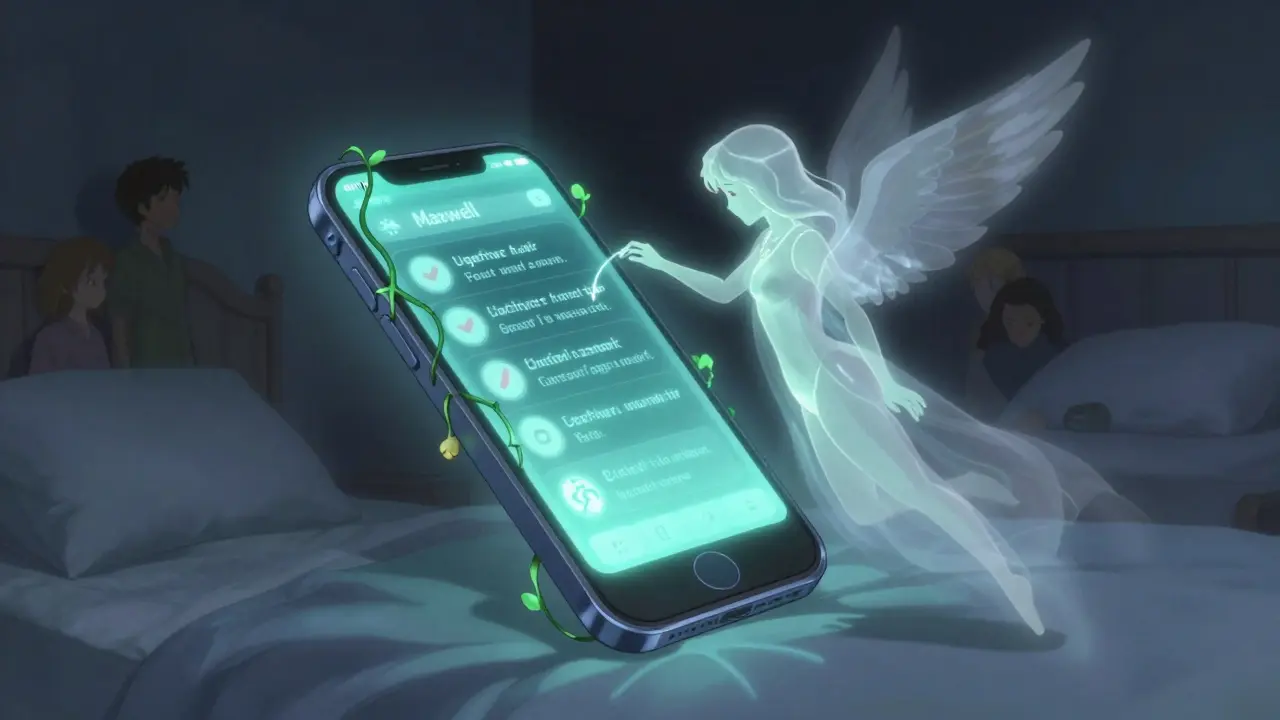
EveryDose uses an AI assistant named Maxwell to explain your meds in plain language. But seniors found its interface too cluttered. Meanwhile, Dosecast shines for complex regimens-like chemotherapy with multiple doses per day-and lets you set reminders down to the 15-minute mark. If your schedule is tight and your meds are tricky, this one stands out.
Apple’s built-in Medications app, launched in late 2023, is now used by over 12 million people. It pulls data from your Health app and warns you about interactions using CDC guidelines. No download needed. No subscription. Just a free tool built into your iPhone. For many, especially older users who don’t want another app, this is the easiest start.
Physical Organizers: Simple, Reliable, and Often Overlooked
Not everyone wants to stare at a screen to remember their pills. That’s where physical organizers come in. PillDrill’s Smart Medication System holds up to 28 doses and syncs with an app to alert you when it’s time. It even has a light that flashes and a sound that plays-no phone required. At $129.99, it’s not cheap, but for someone with memory issues, it’s worth it.
Hero’s Pill Dispenser is another option. It automatically releases pills at set times, locks the rest, and sends alerts to caregivers if a dose is missed. In Medicare trials, users who used Hero had a 92% adherence rate. But there’s a catch: you need to pay $30 a month for the service, plus $99.99 for the device upfront. It’s a subscription model, not a one-time buy.
Simple pill boxes with compartments for morning, afternoon, evening, and night still work for many. The problem? They don’t remind you. You still have to remember to open them. That’s why the best physical systems combine storage with alarms-like a box that beeps or lights up when it’s time.
Using Your Phone’s Built-In Alarms (And Why Most People Fail)
You don’t need a fancy app. Your phone’s alarm clock can work. Set a daily reminder for 8 a.m. and 8 p.m. for your meds. Simple, right?
But here’s the truth: Duke University found only 43% of people actually take their meds when they rely on phone alarms alone. Why? Because alarms get ignored. They’re too generic. You hear the beep, you hit snooze, and you forget again. Worse, if you have cognitive decline or dementia, alarms become meaningless noise.
The fix? Make them personal. Use a voice recording: “It’s time for your blood pressure pill, John.” Or pair the alarm with a habit you already do-like brushing your teeth. Put your pill bottle next to your toothbrush. When you brush, you take your pill. That’s called habit stacking, and it’s backed by behavioral science.
What Really Makes These Tools Work (Spoiler: It’s Not the Tech)
Here’s what no app will tell you: the best tool is useless if you don’t use it consistently. Studies show that 74% of people abandon medication apps within two weeks. Why? Setup is too hard. People spend 17 minutes just entering their meds-and then give up.
The real secret? Involving someone else. If you add a family member or caregiver to your app, your chance of sticking with it jumps from 62% to 88% over 90 days. Medisafe’s “MedFriend” feature lets a loved one get alerts if you miss a dose. They don’t need to be tech-savvy-just need to open the app once a week to check in.
Another game-changer: weekly verification. Every Sunday, sit down with your meds and your list. Are you still taking all of them? Did your doctor change anything? This simple step cuts errors by 53%. Most people never do it.
And don’t forget biometrics. If you have an Apple Watch, link your meds to it. Users who get a gentle tap on the wrist instead of a phone notification are 22% more consistent. It’s less disruptive. More natural.

Cost, Privacy, and What You Should Avoid
Apps range from free to $4.99 a month. Medisafe’s free version works fine for basic reminders. If you want interaction checks or caregiver alerts, the $39.99/year plan is worth it. Dosecast is cheaper at $2.99/month and great for complex schedules. But avoid apps that sell your data. A 2023 Princeton study found 63% of free apps monetize by selling anonymized health info to advertisers.
Also, watch out for apps that flood you with alerts. If you’re getting 5 notifications a day and you’re already overwhelmed, you’ll turn them off. Pick one that lets you customize frequency. Turn off weekend reminders if you don’t take meds on Sundays. Reduce noise. Increase reliability.
And if you’re on Medicare, you’re eligible for a $15 monthly reimbursement for FDA-approved adherence tools. That covers most premium apps and devices. Ask your pharmacist or Medicare provider-most don’t know this exists.
Which Strategy Is Right for You?
Ask yourself these questions:
- Do you forget pills because you’re busy, or because you can’t remember what you’re supposed to take?
- Are you comfortable using smartphones, or do you prefer physical objects?
- Do you have someone who can check in on you?
- Are your meds simple (once a day) or complex (multiple times, different doses)?
If you’re young and tech-savvy, try MyTherapy or Apple’s Medications app. Track symptoms, log mood, and see how your meds affect your life.
If you’re older or have memory issues, go for a physical organizer like PillDrill or Hero. Pair it with a caregiver alert. Don’t rely on your phone alone.
If your regimen is complicated-like cancer treatment or multiple chronic conditions-Dosecast or Care4Today Connect (used by 47% of U.S. cancer centers) is built for that.
If you want zero cost and zero setup, use your iPhone’s built-in Medications app. It’s free, secure, and integrates with your health data.
Getting Started: Your 5-Minute Action Plan
- Write down every medication you take-name, dose, time, purpose.
- Check if any are on a Medicare-reimbursed list. Ask your pharmacist.
- Download one app (start with Apple Medications or Medisafe) or buy one physical organizer.
- Add one person to your reminder system-partner, child, friend.
- Set a weekly reminder every Sunday at 10 a.m. to review your meds.
You don’t need to do everything at once. Start with one tool. One person. One habit. That’s how lasting change happens.
Do medication reminder apps really work?
Yes-but only if you use them consistently. Studies show they improve adherence by 15-20% on average. Apps like Medisafe and MyTherapy have strong data backing them, especially for chronic conditions like HIV and heart failure. But they fail if users get overwhelmed by alerts or find them too complex. The best apps are simple, customizable, and include caregiver support.
Are pill organizers better than apps?
It depends. Pill organizers are reliable and don’t need batteries or Wi-Fi. But they don’t remind you-they just hold your pills. Smart organizers like PillDrill or Hero combine storage with alarms and alerts. For people with memory issues, these are often more effective than apps. For younger users who already use phones daily, apps offer more features like symptom tracking and interaction warnings.
Can I use my phone’s alarm instead of an app?
You can, but it’s less effective. Phone alarms alone have a 43% success rate. The problem? They’re easy to ignore. You hear the sound, hit snooze, and forget. Better options include voice recordings of your name, pairing the alarm with a daily habit (like brushing teeth), or using a smartwatch to get a gentle tap instead of a loud beep.
Are there free options for medication reminders?
Yes. Apple’s Medications app (on iOS 17.2+) is free and built into your phone. It tracks your meds, warns about interactions, and syncs with your Health data. Medisafe also has a free tier with basic reminders and interaction alerts. Google’s partnership with Walgreens now lets you sync prescriptions directly to Dosecast for free. Avoid apps that ask for payment upfront-many free tools work well if you don’t need advanced features.
What should I do if I keep missing doses despite using reminders?
First, check if you’re taking the right meds. Sometimes people miss doses because the side effects are uncomfortable, or they can’t afford them. Talk to your doctor-there may be cheaper alternatives or different formulations. Second, involve someone else. A caregiver who gets alerts can help you stay on track. Third, simplify: reduce the number of daily pills if possible. And finally, review your system every week. Maybe your alarms are too loud, or you’re setting them at the wrong time. Adjust until it fits your life.
Can Medicare help pay for medication reminder tools?
Yes. Since 2023, Medicare Part D reimburses $15 per month for FDA-authorized adherence tools. This covers many apps and devices like Hero and Care4Today Connect. You don’t need to apply separately-ask your pharmacist or Medicare provider. They’ll tell you which tools are approved. Many seniors don’t know this benefit exists, but it’s real and available right now.
Apps are for people who can’t handle a pillbox. If you need an algorithm to remind you to take your blood pressure med, maybe you shouldn’t be managing it yourself.
Simple is better. I use a $5 plastic organizer. Done.
I’ve seen too many elderly relatives overwhelmed by apps that beep every five minutes. The real win is combining a physical organizer with one person who checks in weekly.
Not tech. Not apps. Just human accountability.
That’s what actually sticks.
Let’s be real-this whole article is a Silicon Valley sales pitch dressed as public health advice.
Medicare reimburses $15/month for these tools? That’s a joke. The real problem is drug prices, not reminders.
You want people to take their meds? Lower the cost. Stop selling $400 pills and then telling them to buy a $130 smart box.
And don’t even get me started on Apple’s ‘free’ app-your data is still being monetized. You think they care about your health? They care about your metrics.
This isn’t innovation. It’s exploitation with a wellness filter.
Hi, I am from India, and here, many people use old-school pill boxes, because smartphones are expensive, and internet is slow in villages.
But, I think, if we can make simple, low-cost devices with blinking lights and sound, like PillDrill but for $20, it can change lives.
Also, in our culture, family reminds each other, so maybe apps should have a feature where a child can set a reminder for parent, without needing to use app themselves.
Just a thought.
Thank you for sharing this.
:-)
I took my meds for three months straight using MyTherapy… then my dog died.
And suddenly, I couldn’t remember why I was supposed to take them.
It wasn’t the app’s fault.
It was mine.
And I didn’t feel like fighting anymore.
That’s the thing no one talks about.
It’s not about forgetting.
It’s about giving up.
And no alarm, no box, no ‘MedFriend’ can fix that.
They just make you feel guilty for being broken.
my phone alarm works fine if i pair it with coffee
like, i make coffee at 7am, i take my pill
no app, no fuss
also, i use a little plastic box with 4 compartments
it’s not fancy but it doesn’t die when the battery runs out
and honestly? i’ve been doing this for 2 years
no drama
no notifications
just coffee and a pill
that’s my system
simple works
THIS IS WHY AMERICA IS FALLING APART 😭
You people are so obsessed with ‘apps’ and ‘tech solutions’ that you forgot how to be responsible.
My grandma took her meds for 40 years with a handwritten list and a wind-up alarm clock.
She didn’t need an AI named Maxwell.
She didn’t need a $130 smart box.
She had discipline.
And now we’re paying for it with 125,000 dead people because we outsourced our responsibility to a phone app.
Fix the system. Not the reminder.
And stop selling fear as a product.
😭💔
if you’re missing pills because you’re too lazy to set an alarm, you’re not gonna fix it with an app.
you’re just gonna pay for a subscription and feel better about it.
real talk: if you can’t take your own meds, maybe you shouldn’t be living alone.
get help.
or stop pretending tech can fix being irresponsible.
My dad used to forget his meds until we put his pills next to his TV remote.
Now he takes them every time he turns on the news.
Simple habit stacking.
No app needed.
And he loves it because he still gets to watch his crime shows.
Win-win.
yo i used to be a mess with my meds-like, i’d take my blood pressure pill at midnight and my diabetes one at noon.
then i got a $25 pill organizer from Amazon and started using the built-in iOS meds app.
it’s free, it syncs with my watch, and it gives me a lil tap on the wrist.
no bells, no notifications, just a quiet nudge.
and i added my sis as a MedFriend-she gets a text if i miss a dose.
she doesn’t even reply, she just sends me a meme once a week.
that’s all i need.
no drama.
no $$$
just a tap and a meme.
and now i’m alive.
so yeah.
tech can help.
but it’s the tiny, dumb, human things that keep you alive.
As a pharmacist in Bangalore, I have observed that the most effective intervention is not technological, but relational.
When patients are asked, ‘Who reminds you?’-and they name someone, adherence doubles.
Even if that person is a neighbor, a temple volunteer, or a cousin who calls once a week.
Technology can amplify human connection.
But it cannot replace it.
Do not confuse convenience with care.
Warmth, not widgets, saves lives.